At a glance
- Company
- TopCashback
- Role
- UX/UI Designer
- Duration
- Projects ongoing
- Platform
- iOS & Android (mobile and tablet)
- Tools
- Figma, Miro, Adobe Suite, GA, Qlik, Zeplin, Apple and Android developer tools
A collection of app work across iOS and Android, showing how solutions are adapted and refined for mobile and tablet experiences.
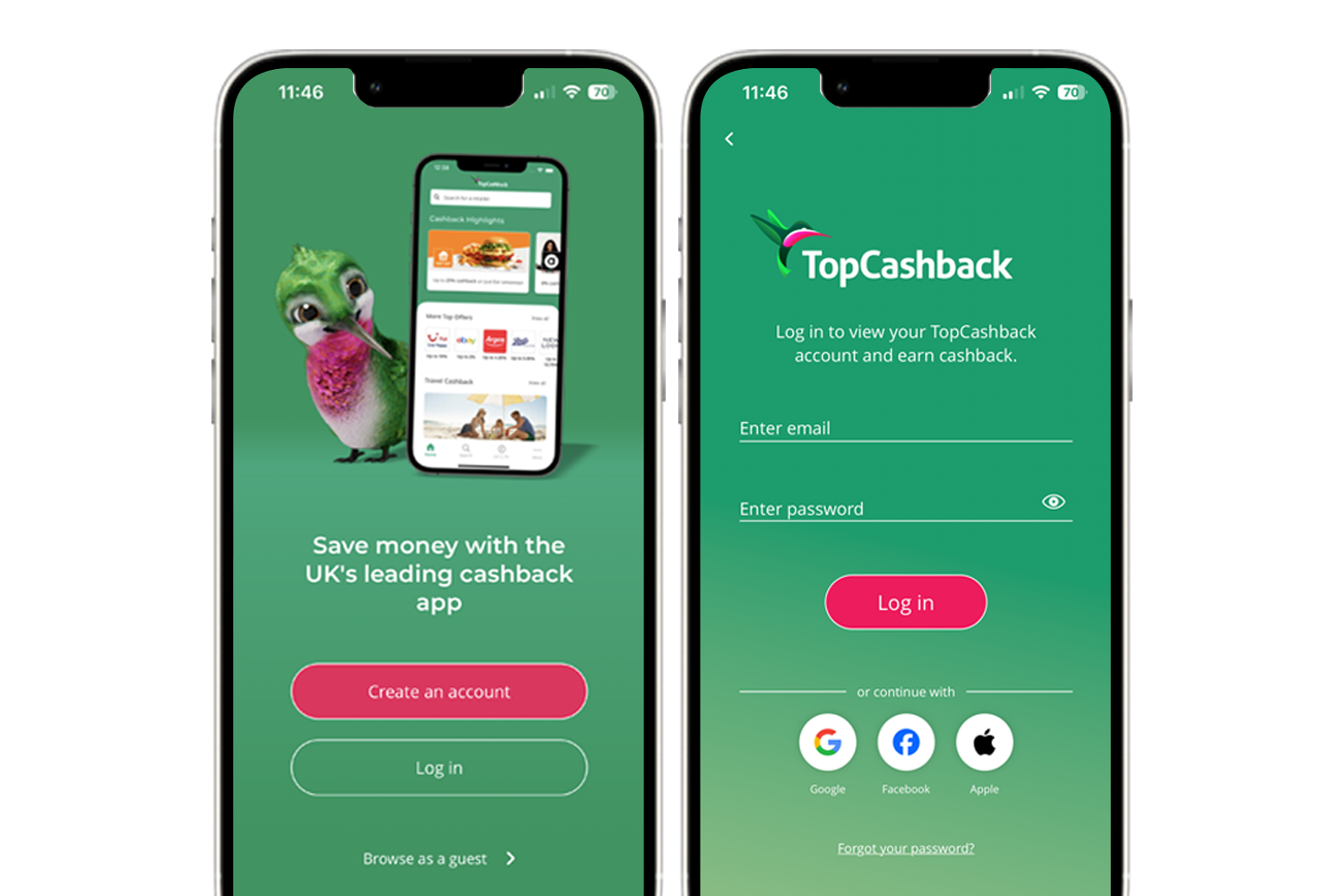
For every project I work on, I consider the impact across both web and app experiences. With millions of members using the TopCashback app as their primary platform - particularly in the UK - it's important that users receive the same attention to detail.
Following design guidelines closely, and using best practices from Apple Human Interface Guidelines and Android Material Design, I ensure experiences feel native and intuitive with user expectations.
I work closely with app developers to ensure designs are implemented correctly (with the help of Zeplin) and make the best use of native components, as well as introducing innovative ideas that increase usability and user delight i.e. making interactions fun but also confirmational.
This study contains a collection of projects that will be added to. Regardless of where a project begins, I always consider how it should translate to the app. Flows are mapped carefully, edge cases are explored early and designs are adapted to each platform while following Apple and Android guidelines.
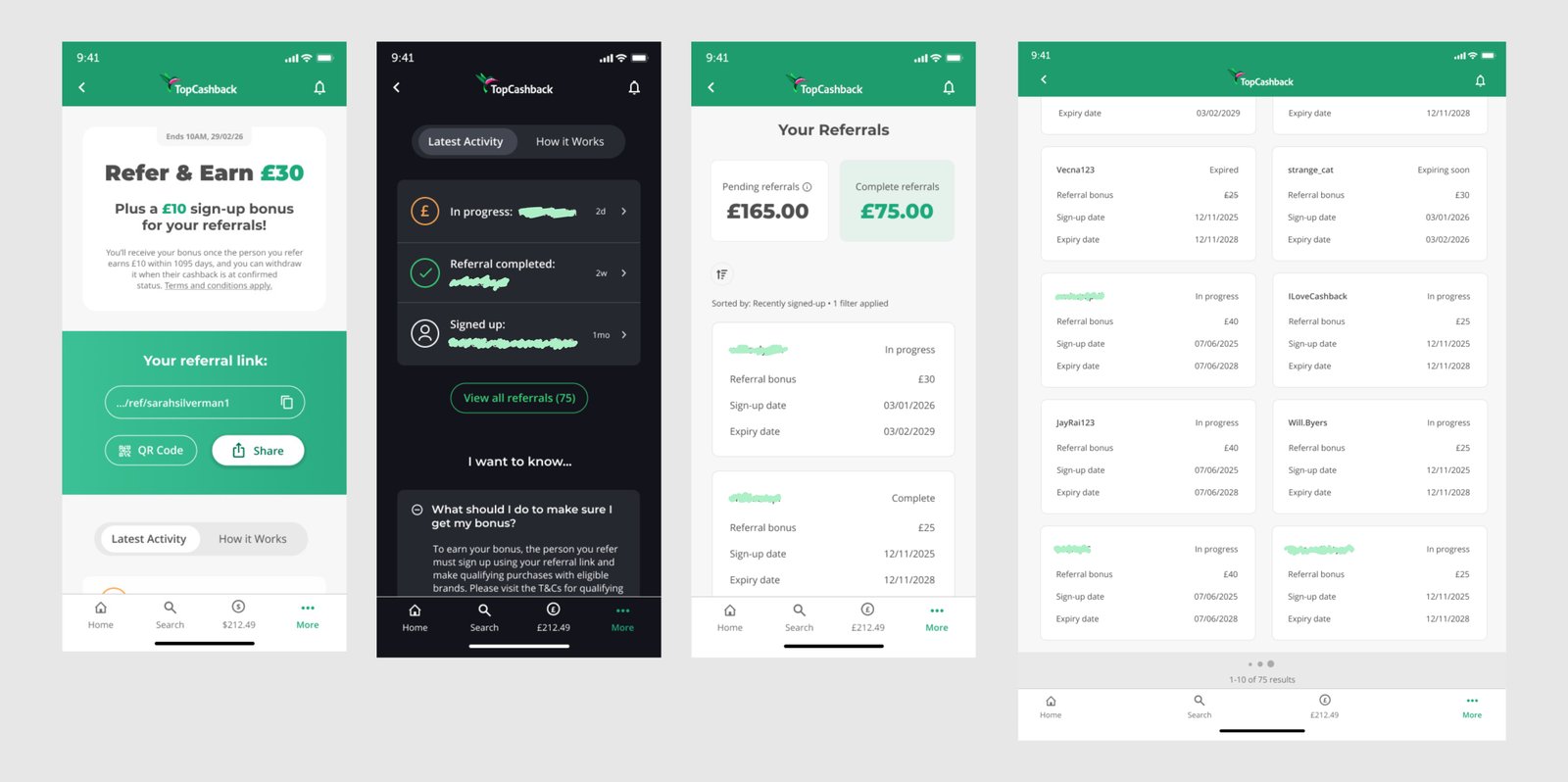
As part of a larger redesign of one of TopCashback's highest-value acquisition channel, I translated the new Refer & Earn experience across iOS and Android, covering both mobile and tablet.
Rather than treating the app as a direct copy of the mobile site, I reviewed which parts of the experience should remain consistent and where native behaviours could make it easier. This included using the device share sheet instead of having a visual overload of social options.
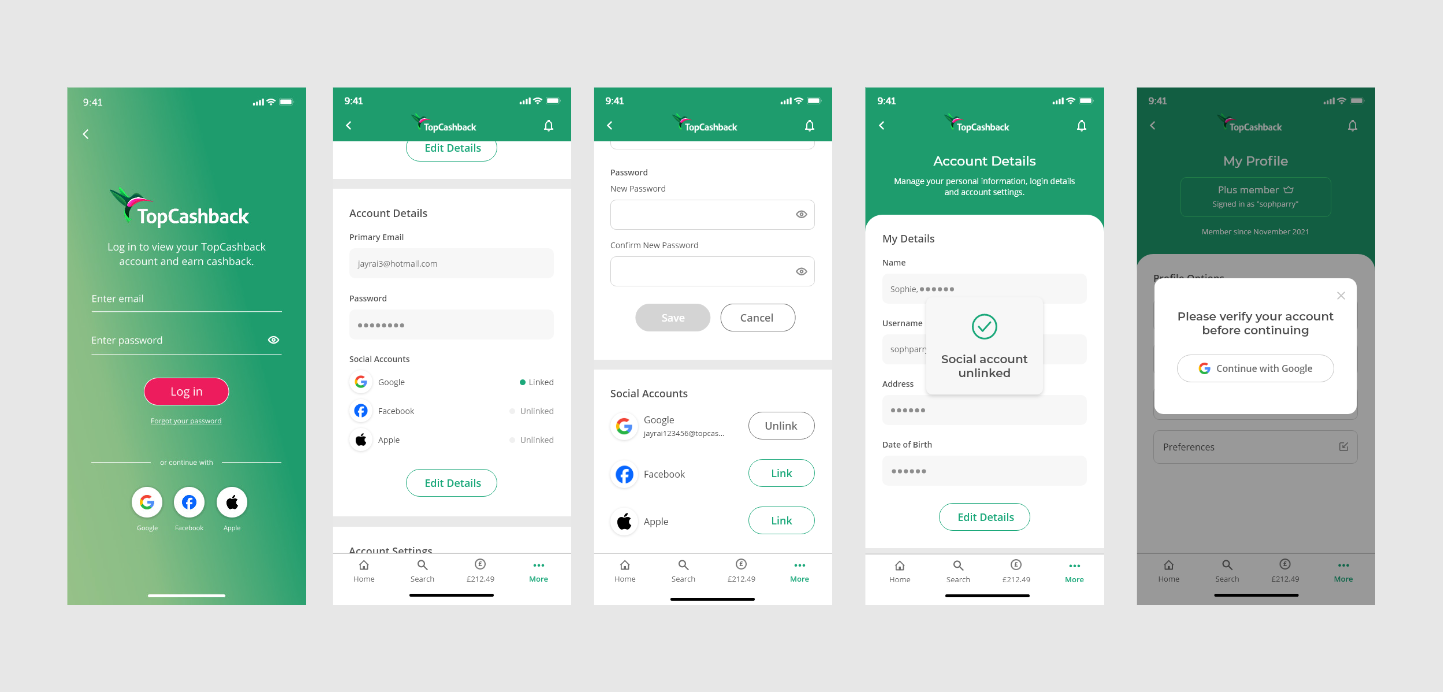
Single Sign-On (SSO) was designed for the app alongside the website. I covered the full authentication journey, including updated join and login forms, platform-specific behaviours and the ability for existing members to link or unlink social accounts.
Native platform expectations were particularly important. Apple sign-in needed to feel familiar on iOS, whilst still feeling consistent across Android, and the website. I mapped the journeys and edge cases across each platform so the interaction could feel purposeful.
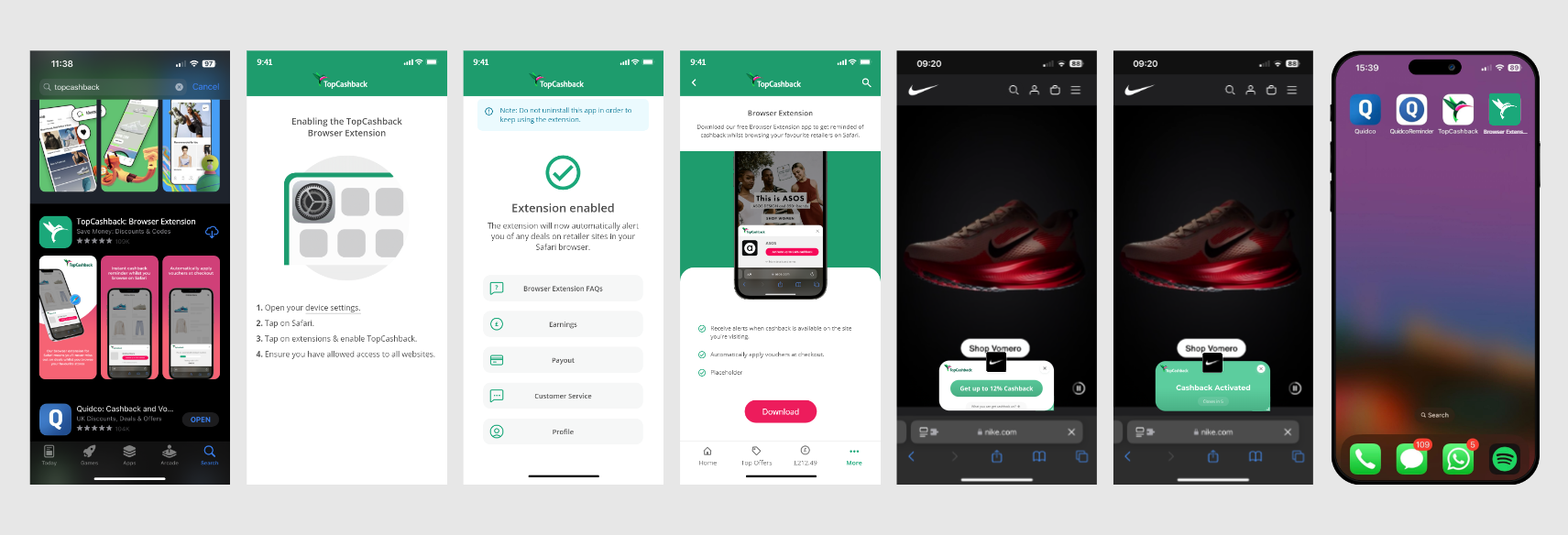
I led the design for the launch of TopCashback's first iOS browser extension, which was a relatively new capability within iOS at the time. Alongside the extension, I designed a dedicated companion app that guided users through installation and setup.
The companion app only needed to be used during setup, so I kept it minimal and instructional - using clear visual guidance. I also designed how the extension was promoted within the main TopCashback app to educate members on another way to save.
A key consideration was differentiating the companion app from the main TopCashback app in the App Store, avoiding confusion while maintaining a clear visual relationship. The extension was later redesigned alongside the desktop version, aligning both experiences around the same functionality and a modernised UI.
I will continue adding projects to this collection as more app work is designed and launched. 🚀